Fleet Running Costs
See what every vehicle really costs to run
Fuel, servicing, tolls, fines, incidents, rego, insurance and inspections, rolled up per vehicle over three, six or twelve months.
Every record you log against a vehicle is also a cost. Axlerun adds them up per vehicle and across the fleet, so the van that is quietly eating the margin shows as a number rather than a feeling. Recording each cost is free on Drive; the roll-up and the trends are on Cruise. The figures are only as complete as what has been logged, so Axlerun makes logging quick: a receipt photo, a spoken sentence, or a short form.
Available on
 Drive· record every cost, free
 Cruise & Turbo· per-vehicle roll-up and trends
What you get
Eight cost types, one number
Fuel and charging, service and maintenance, tolls, fines, incidents, registration, insurance and safety inspections, each recorded with its amount, feed one total per vehicle. A record without an amount makes the vehicle look cheaper than it is, so the amount field is always there.
Three, six or twelve months
Switch the range to see whether a figure is a one-off or a trend. A vehicle that costs more this quarter than last without doing more work is telling you something; one that has always cost more may just be the one doing the long runs.
The fleet, and each vehicle
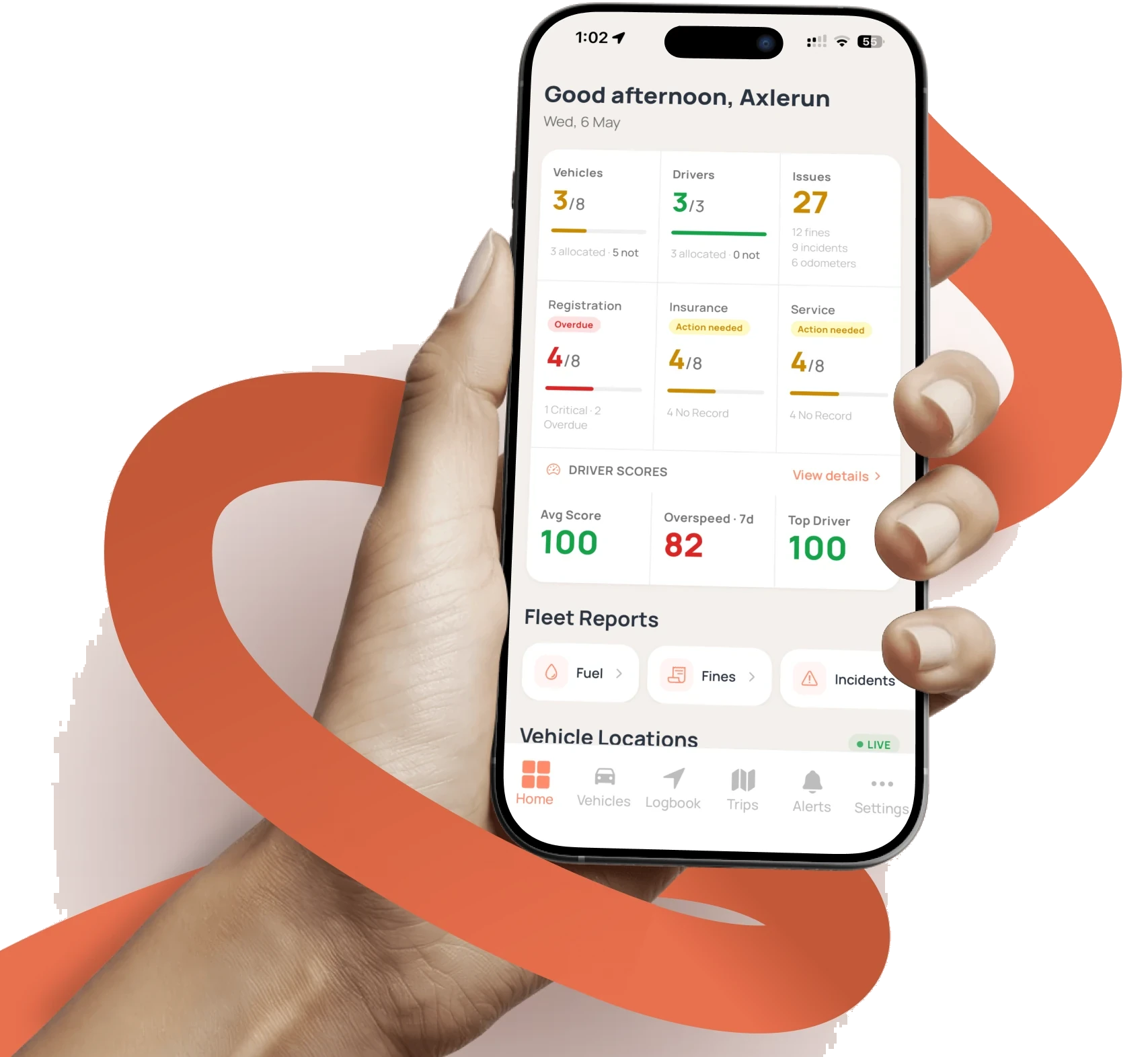
The home dashboard carries the same roll-up across every vehicle, with a monthly fuel spend chart. Each vehicle's profile has its own Costs section for the detail.
Fines and tolls, with the who
Fines carry a status: issued, assigned to a driver, pending review, disputed, paid, overdue or cancelled. On Cruise a fine can be assigned to the driver on duty. Toll tags sit on vehicles and each charge is logged against the vehicle, with the tag it was charged on if you want it linked.
Logging that does not get skipped
Scan Receipt fills the fuel form from a photo on any plan. On Turbo, AI reads messier receipts and fine notices, and the voice assistant takes a fill-up as a spoken sentence.
Unpaid fines, in one place
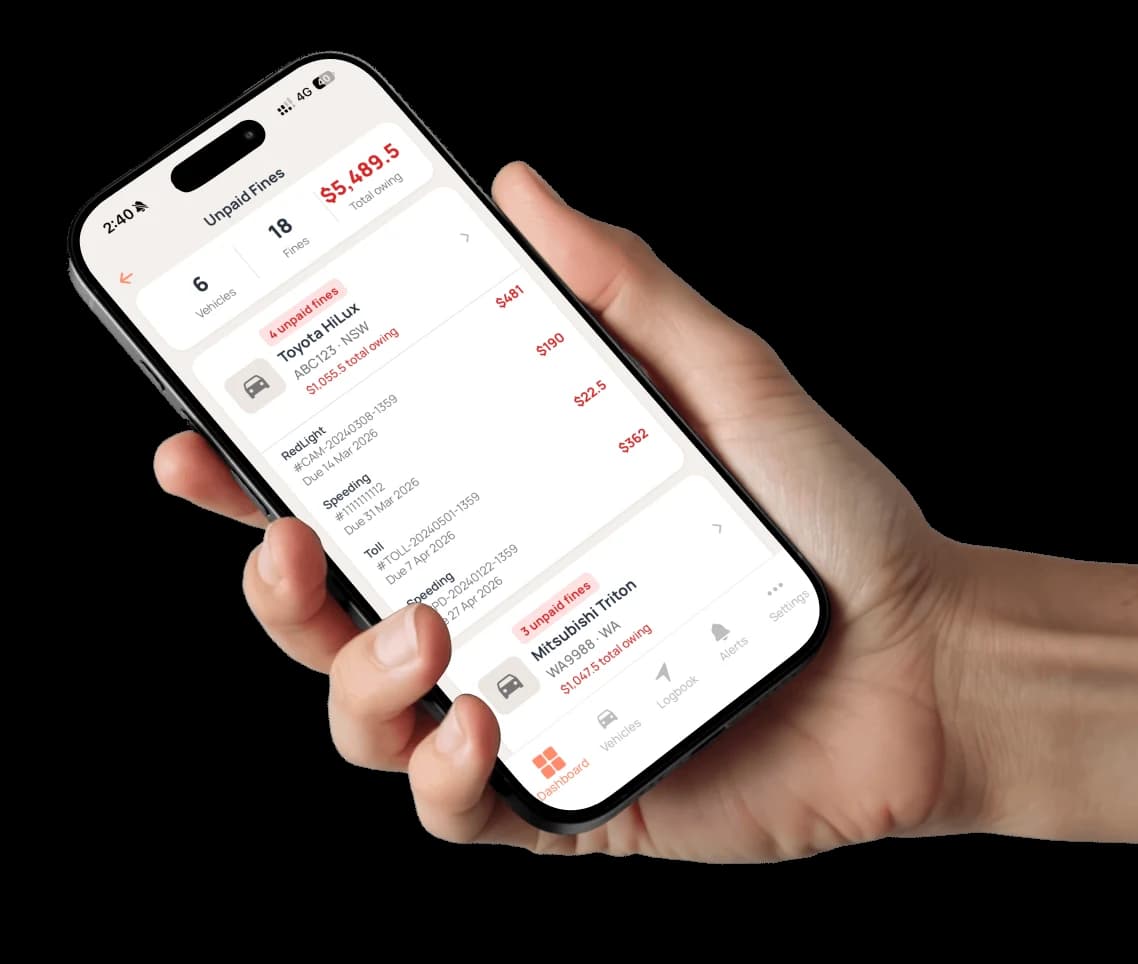
The Unpaid Fines view totals what is owing across the fleet and lists each vehicle's fines with the type, the reference, the due date and the amount. Mark one paid, or on Cruise assign it to the driver who was behind the wheel.

How it works
STEP 1
Record the cost
Fuel at the pump, the service invoice, the toll, the fine, the renewal. Each is a record on the vehicle with its amount and, where there is one, the receipt attached.
STEP 2
Read the roll-up
On Cruise, open the vehicle's Costs section or the dashboard for the fleet. Every category is a slice of one total.
STEP 3
Watch the trend
Flip between three, six and twelve months. Compare a vehicle against its own history before comparing it with the rest of the fleet.
See how it fits the rest of the platform on the Features & Pricing page.
Related
Common questions
About Fleet Running Costs
Still have questions?
Contact
Available Now
Start managing your
fleet today
Your first 3 vehicles are free, forever.


Already a customer? Sign in on the web
app.axlerun.com.au