Leases & Ownership
Know when every lease ends, before the lessor tells you
Record how each vehicle was acquired and what it cost, then see every lease ending in the next 30 to 120 days on one screen.
Lease end dates live in contracts in a drawer, and the first reminder is often a letter from the lessor. Axlerun keeps the ownership record on the vehicle: purchase, finance, lease, novated lease or rental, the supplier, the price and the lease dates. Then it lists every lease ending soon, with the days left, and warns anyone booking a pool vehicle whose lease is about to finish.
Available on


 Drive & Cruise & Turbo· owner and admin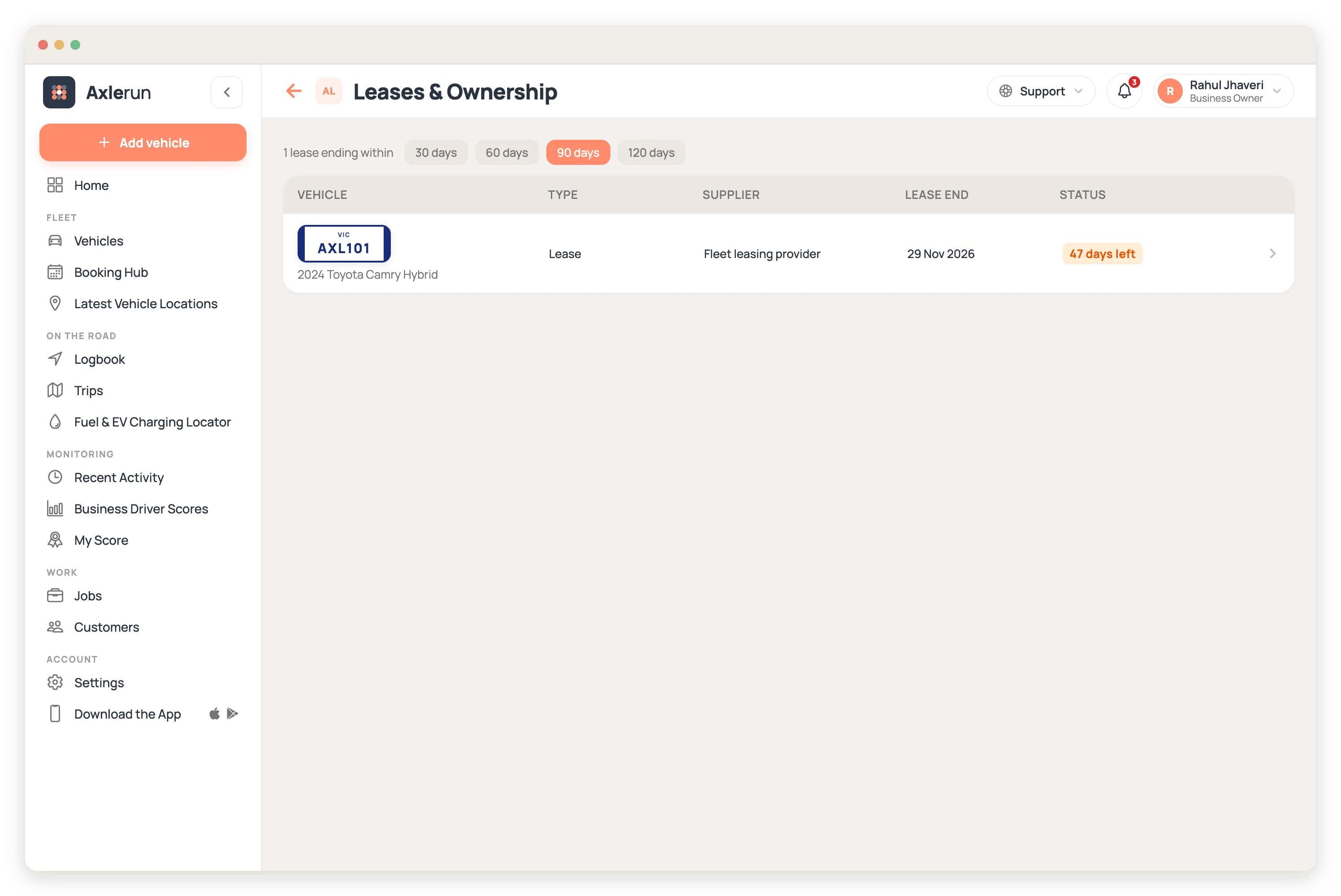
What you get
Every way you acquire a vehicle
Purchase, finance, lease, novated lease or rental, with the supplier or lessor, the date and the contract number.
What it really cost
Price ex GST, GST, stamp duty and on-road costs, recorded separately so the figure your accountant needs is already split out.
Lease dates and payments
Lease start, lease end, the payment and how often it's paid, on the vehicle where anyone managing it can find it.
Leases ending soon, in one list
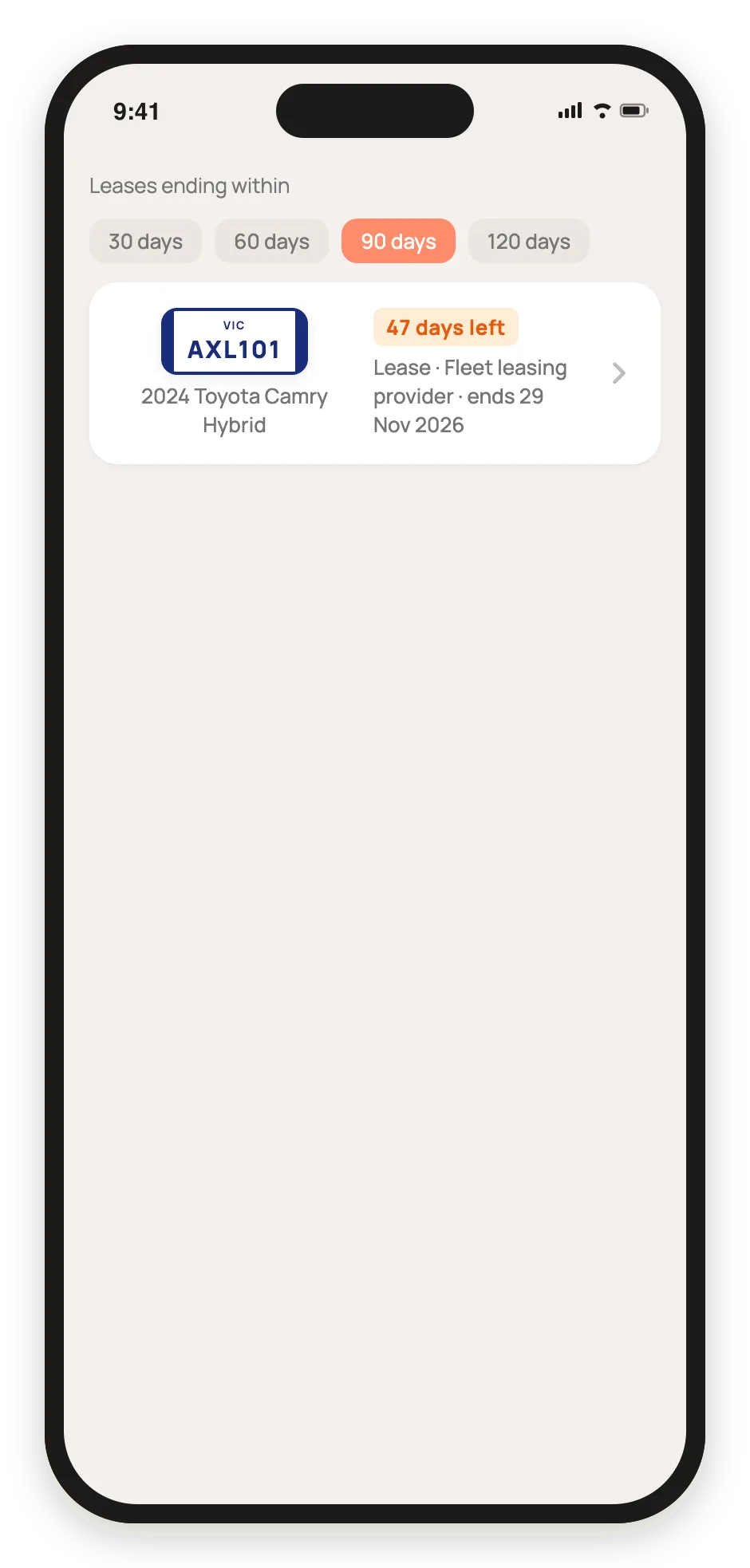
Pick 30, 60, 90 or 120 days and see every lease ending in that window across the fleet, soonest first, with the days left on each.
A warning at booking time
When a pool vehicle's lease is ending, the warning shows to whoever books it, so nobody plans a long job around a vehicle that's about to go back.
Who had it, and when
Each vehicle's Driver History lists every allocation and pool check-out with duration and distance, ready for the end-of-lease condition and kilometre check.
Checkable from anywhere
The lease list is on the phone too, so a question about when a vehicle goes back has an answer from the depot, not from a filing cabinet.

How it works
STEP 1
Record the ownership
From the vehicle, add how it was acquired, the supplier, the price and, for a lease, the start, end and payments.
STEP 2
Watch the window
Open Leases & Ownership and pick how far ahead to look. Every lease ending in that window is listed with its days left.
STEP 3
Decide in time
Extend, buy out or replace with months to spare, not days.
See how it fits the rest of the platform on the Features & Pricing page.
Related
Common questions
About Leases & Ownership
Still have questions?
Contact
Available Now
Start managing your
fleet today
Your first 3 vehicles are free, forever.


Already a customer? Sign in on the web
app.axlerun.com.au