FBT Logbook
The ATO-compliant FBT logbook app that writes itself
The 12-week logbook the ATO requires, recorded automatically, exported in one tap.
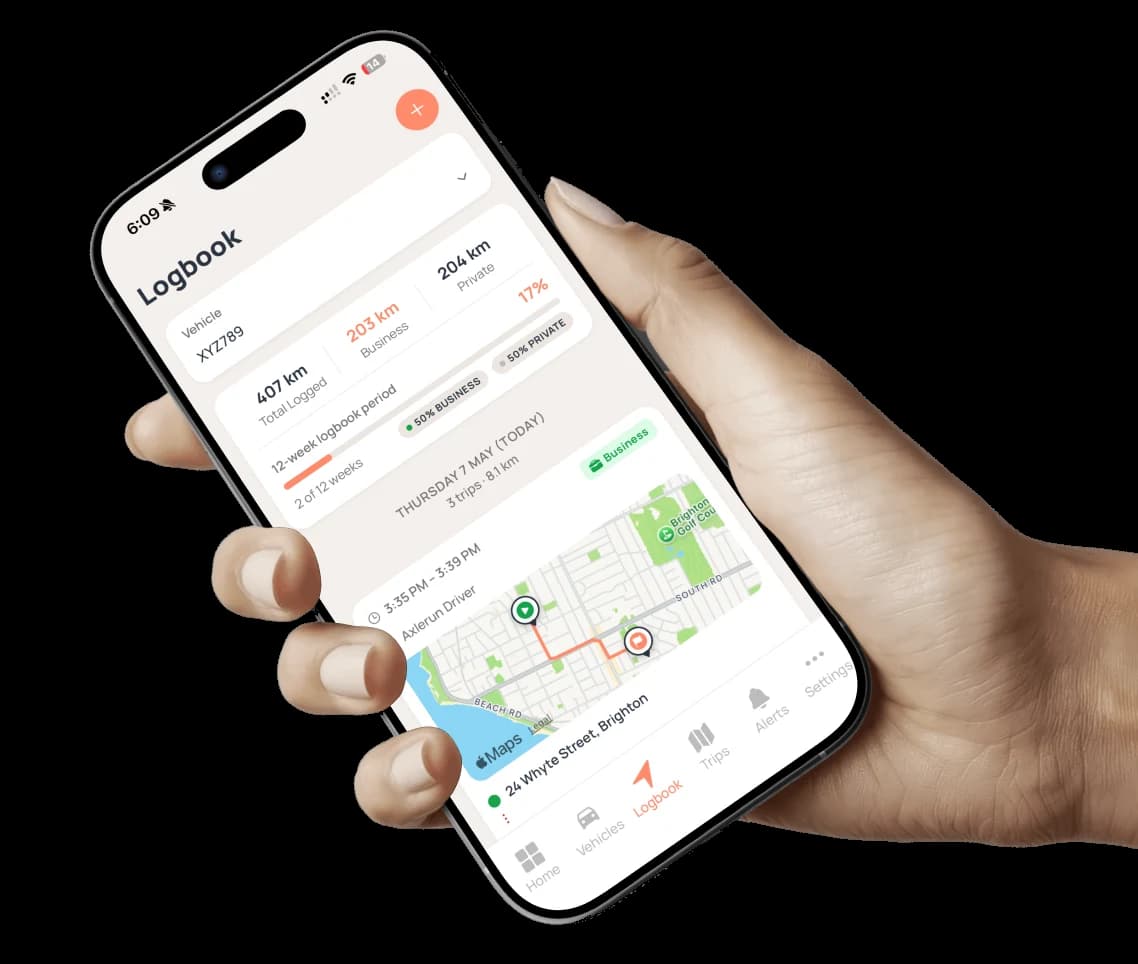
Any vehicle with possible private use needs a valid logbook, or you're paying FBT on the full statutory rate. Paper books get lost and hand-kept records don't survive an audit. Axlerun records every trip in the background (route, distance, odometer, time) and turns it into an ATO-compliant Excel logbook whenever you or your accountant need it.
Available on
 Drive· automatic recording, free
 Cruise & Turbo· ATO export + auto-classify
What you get
Automatic GPS trip recording
Free on every plan, including Drive. Every trip records itself from the phone already in the vehicle. No hardware, no manual entry, no forgotten trips.
Bulk business/private classification
Classify a week of trips in seconds, on any plan. On Cruise, auto-classify rules file the recurring ones for you.
One-tap ATO-compliant Excel export
On Cruise, export a compliant logbook for any vehicle and any period as Excel or an ATO-ready PDF: every trip in rows your accountant can sort, filter and total, exactly the way they want it.
The right 12 weeks, chosen with evidence
Axlerun scans the FBT year and ranks the windows worth nominating, each one scored on how complete the evidence is and how closely it matches the vehicle's full-year business use. A fortnight that flatters you is the kind of nomination that gets disallowed, so we show you the gap rather than the highest number.
It tells you what's holding the export up
Business trips missing a purpose, a period that's still short of 12 weeks, odometer readings that don't reconcile: named specifically, worst first. Missing purposes go to a bulk-fix screen where you clear the lot in one pass instead of opening trips one at a time.
A weekly nudge, not a nag
Once a week Axlerun tells you when a vehicle first has a nomination-ready period, or when a better-supported window than your current one appears. Review it and keep your period as often as you like, or dismiss it and we stop asking.
The logbook rides on the dash
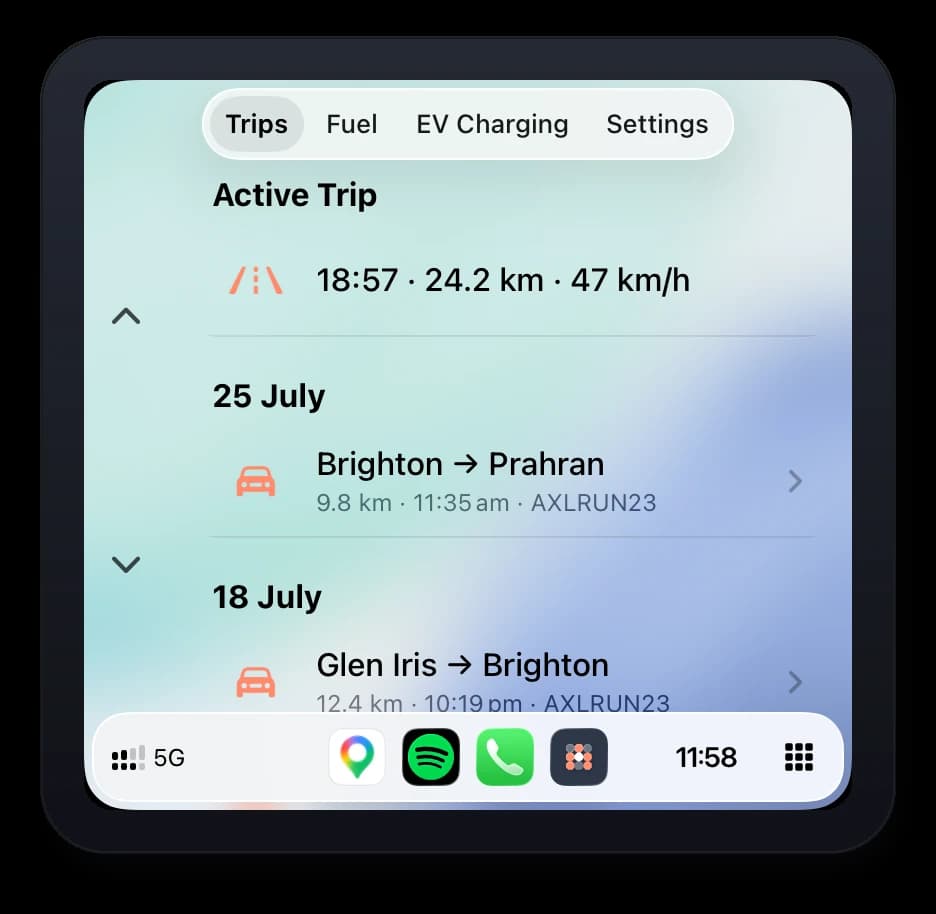
CarPlay shows the active trip and recent history right on the head unit, and a finished trip can be classified business or private before the driver is out of the seat. Android Auto carries the fuel & EV map rather than the logbook. On the lock screen, the optional live drive card keeps distance and speed ticking without opening the app.
How it works
STEP 1
Drive normally
Trips record in the background with route, distance and odometer.
STEP 2
Classify in bulk
Mark trips business or private in seconds, or let Cruise's auto-classify rules do it.
STEP 3
Pick the window
Choose your continuous 12 weeks from the ranked suggestions, correct the odometer readings, and clear anything Axlerun flags as blocking the export.
STEP 4
Export the logbook
One tap produces the ATO-compliant Excel logbook for tax time or an audit: download it, share it, or have it emailed to you.
See how it fits the rest of the platform on the Features & Pricing page.
How it compares
Weighing up alternatives? Each comparison says where the other product is the better choice, and sources every claim about it from their own site.
Axlerun vs Driversnote for Australian business fleets
A per-driver mileage app against per-vehicle fleet software with the FBT logbook built in.
Axlerun vs GOFAR for business vehicles
A plug-in device that logs one car against phone-based software that runs a fleet.
Axlerun vs LogbookMe, now LBM Fleet
A telematics logbook platform for large fleets against phone-based software for small ones.
Axlerun vs ATO myDeductions for business vehicles
The ATO's free personal record-keeper against software built to run a fleet.
FBT logbook app vs fleet management software
One records a person's kilometres. The other records a vehicle. That difference decides most of it.
Common questions
About FBT Logbook
Still have questions?
Contact
Available Now
Start managing your
fleet today
Your first 3 vehicles are free, forever.


Already a customer? Sign in on the web
app.axlerun.com.au